Binance Security Best Practices: Protect Your Crypto
Essential security guide for Binance users. 2FA, anti-phishing, withdrawal protection, and advanced security features.
Why Security Matters in Crypto
Crypto transactions are irreversible. If someone accesses your account and withdraws your funds, they’re gone forever. Prevention is your only protection.

Security Checklist
Must-Have (Do These Now)
- Google Authenticator 2FA enabled
- Strong, unique password (16+ characters)
- Anti-phishing code set
- Email verification enabled
- Phone number verified
Strongly Recommended
- Withdrawal whitelist enabled
- Withdrawal address management
- Device management (remove unknown devices)
- Login notifications enabled
Advanced
- Hardware security key (YubiKey)
- Separate email for crypto only
- VPN for public networks
Anti-Phishing Code
Set a custom code that appears in all legitimate Binance emails.
How to set it: Account → Security → Anti-Phishing Code → Enter your code
Now every real Binance email will show your code. If an email doesn’t have it, it’s fake.
Common Scams to Avoid
- Fake Binance websites: Always check the URL (binance.com)
- “Support” on social media: Binance never DMs you first
- Fake apps: Only download from official app stores
- Recovery phrase scams: Never share your 2FA backup key
- Investment schemes: “Send BTC, get 2x back” = always a scam
What to Do If Compromised
- Immediately change your password
- Disable all API keys
- Enable account lock (suspends all activity)
- Contact Binance support through the official app/website
- Check transaction history for unauthorized activity
Monthly Security Audit
- Review active sessions
- Check API key list
- Verify email/phone settings
- Test 2FA is working
- Update password if needed
Get 20% Off Binance Trading Fees with RATE20
New to Binance? Open the official signup page with RATE20 already applied for a 20% trading-fee discount. You do not need to copy or type the code. Review the referral details before completing registration.
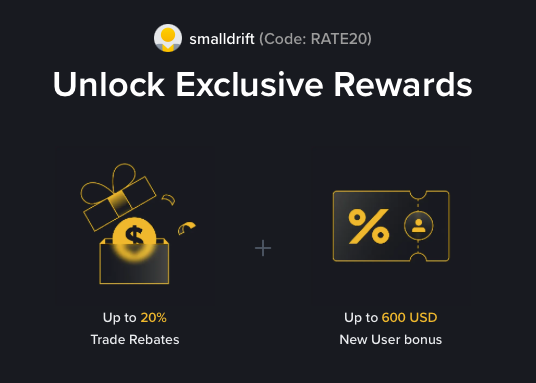
- Referral code: RATE20, pre-applied by this link
- Fee discount: 20%, shown on the Binance signup screen
- Additional rewards: Check Binance for current promotions and regional availability
Be wary of unofficial referral offers promising benefits they cannot show. The Binance signup screen lets you check the code and fee discount directly.
Compare Binance fees and available discounts →
SmallDrift may earn a commission when you sign up through this link. Trading involves risk, including loss of capital.
Related Articles

Explore Related Guides
Daily Crypto Market News
Follow Bitcoin price moves, major altcoins, and the events shaping the market.
Bitcoin ETF Flows Guide
Understand ETF inflows and outflows, and how to read them alongside price action.
Binance Fee Calculator
Learn how to estimate trading costs with referral and BNB discounts.
Verified Binance Referral Guide
See how RATE20 is applied and what to check on the Binance signup screen.