Binance Account Security Checklist: 15 Steps to Protect Your Crypto
Complete security checklist for Binance users. Follow these 15 steps to maximize the security of your cryptocurrency.
The Complete Security Checklist
Tier 1: Essential (Do Immediately)
-
1. Enable Google Authenticator 2FA
- Settings → Security → Google Authentication
- Save your backup key offline
-
2. Set a strong, unique password
- 16+ characters, mixed case, numbers, symbols
- Never reuse from other sites
-
3. Set anti-phishing code
- Settings → Security → Anti-Phishing Code
- Verify all Binance emails contain your code
-
4. Verify your email is correct
- Check that no one has changed your email
-
5. Add phone number verification
- Additional security layer for sensitive actions
Tier 2: Strongly Recommended
-
6. Enable withdrawal whitelist
- Only allow withdrawals to pre-approved addresses
- 24-hour delay when adding new addresses
-
7. Set up login notifications
- Get alerted for every login attempt
-
8. Review active devices
- Settings → Security → Device Management
- Remove any unrecognized devices
-
9. Disable SMS 2FA if using Authenticator
- SMS is vulnerable to SIM swapping
- Authenticator is more secure
-
10. Check API keys
- Delete any API keys you don’t actively use
- Never enable withdrawal permission on API keys
Tier 3: Advanced
-
11. Use a hardware security key
- YubiKey adds physical 2FA
-
12. Create a dedicated email for crypto
- Separate from your main email
- Not publicly associated with you
-
13. Use a VPN on public WiFi
- Prevent man-in-the-middle attacks
-
14. Enable address management
- Review withdrawal address book regularly
-
15. Monthly security audit
- Review all settings monthly
- Check login history for anomalies
- Test 2FA is working correctly
If You Suspect a Breach
- Immediately: Change password
- Immediately: Disable account (Security → Account Activity → Disable Account)
- Check: API keys — delete all
- Check: Withdrawal history for unauthorized transactions
- Contact: Binance support through the app
Security Mindset
- Never share your password or 2FA codes with anyone
- Binance support will never ask for your password
- Never click links in emails — go directly to binance.com
- If an offer seems too good to be true, it’s a scam
Get 20% Off Binance Trading Fees with RATE20
New to Binance? Open the official signup page with RATE20 already applied for a 20% trading-fee discount. You do not need to copy or type the code. Review the referral details before completing registration.
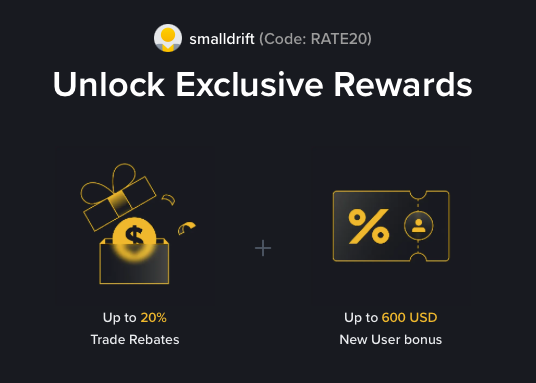
- Referral code: RATE20, pre-applied by this link
- Fee discount: 20%, shown on the Binance signup screen
- Additional rewards: Check Binance for current promotions and regional availability
Be wary of unofficial referral offers promising benefits they cannot show. The Binance signup screen lets you check the code and fee discount directly.
Compare Binance fees and available discounts →
SmallDrift may earn a commission when you sign up through this link. Trading involves risk, including loss of capital.
Related Articles

Explore Related Guides
Daily Crypto Market News
Follow Bitcoin price moves, major altcoins, and the events shaping the market.
Bitcoin ETF Flows Guide
Understand ETF inflows and outflows, and how to read them alongside price action.
Binance Fee Calculator
Learn how to estimate trading costs with referral and BNB discounts.
Verified Binance Referral Guide
See how RATE20 is applied and what to check on the Binance signup screen.