How to Set Up 2FA on Binance (Google Authenticator Guide)
Protect your Binance account with two-factor authentication. Step-by-step 2FA setup guide with backup tips.
Why 2FA Is Essential
Two-factor authentication (2FA) prevents unauthorized access even if someone has your password. It’s the single most important security step.
Setting Up Google Authenticator
Step 1: Download the App
- iOS: Download “Google Authenticator” from App Store
- Android: Download from Google Play Store
Step 2: Enable in Binance
Go to Security → Google Authenticator → Enable
Step 3: Save Your Backup Key
Binance will show a 16-digit backup key. WRITE THIS DOWN AND STORE IT SAFELY.
If you lose your phone without this key, you may lose access to your account.
Step 4: Scan the QR Code
Open Google Authenticator → tap + → Scan QR code → scan the code on screen.
Step 5: Enter the 6-Digit Code
The app will show a 6-digit code that changes every 30 seconds. Enter the current code to confirm setup.
Backup Your 2FA Key
Critical: Store the backup key in multiple safe locations:
- Written on paper in a secure location
- In a password manager (encrypted)
- NOT in a screenshot on your phone
Common 2FA Issues
Code doesn’t work?
- Ensure your phone’s time is synced (Settings → Date/Time → Automatic)
- Enter the code quickly — it changes every 30 seconds
- Make sure you’re scanning the right QR code
Lost your phone?
- Use your backup key to restore in Google Authenticator
- If no backup key, contact Binance support (slow process)
2FA Alternatives
| Method | Security Level |
|---|---|
| Hardware key (YubiKey) | Highest |
| Google Authenticator | High |
| SMS verification | Medium (SIM swap risk) |
| Email only | Low (not recommended) |
Get 20% Off Binance Trading Fees with RATE20
New to Binance? Open the official signup page with RATE20 already applied for a 20% trading-fee discount. You do not need to copy or type the code. Review the referral details before completing registration.
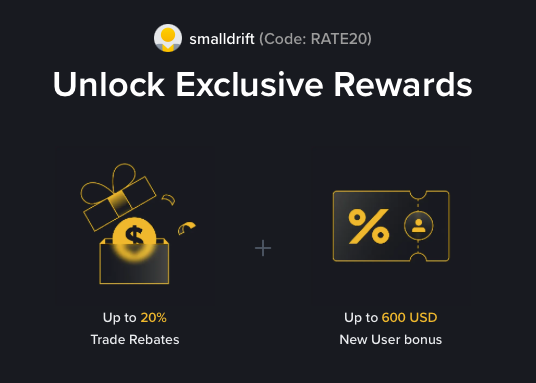
- Referral code: RATE20, pre-applied by this link
- Fee discount: 20%, shown on the Binance signup screen
- Additional rewards: Check Binance for current promotions and regional availability
Be wary of unofficial referral offers promising benefits they cannot show. The Binance signup screen lets you check the code and fee discount directly.
Compare Binance fees and available discounts →
SmallDrift may earn a commission when you sign up through this link. Trading involves risk, including loss of capital.
Related Articles
Explore Related Guides
Daily Crypto Market News
Follow Bitcoin price moves, major altcoins, and the events shaping the market.
Bitcoin ETF Flows Guide
Understand ETF inflows and outflows, and how to read them alongside price action.
Binance Fee Calculator
Learn how to estimate trading costs with referral and BNB discounts.
Verified Binance Referral Guide
See how RATE20 is applied and what to check on the Binance signup screen.