How to Set Stop-Loss on Binance: Spot and Futures Guide
Step-by-step guide to setting stop-loss orders on Binance spot and futures trading. Protect your capital with proper risk management.
Why Stop-Losses Are Essential
A stop-loss automatically closes your position at a predetermined price to limit losses. Without one, a bad trade can wipe out your account.
Setting Stop-Loss on Spot
Method 1: Stop-Limit Order
- Go to Spot trading
- Select Stop-Limit order type
- Set Stop price (trigger price)
- Set Limit price (execution price, slightly below stop)
- Enter quantity
- Click Sell
Example: You bought BTC at $100,000
- Stop price: $97,000 (trigger)
- Limit price: $96,800 (execution)
- This limits your loss to ~3%
Method 2: OCO Order (Recommended)
OCO (One-Cancels-Other) sets both take-profit and stop-loss simultaneously:
- Select OCO order type
- Set Limit sell price (take-profit)
- Set Stop price and Limit price (stop-loss)
- When one triggers, the other cancels
Setting Stop-Loss on Futures
Method 1: Stop Market
- Open your futures position
- Click Stop Market in the order panel
- Enter stop price
- This guarantees execution (may have slippage)
Method 2: Through Position Panel
- Find your open position
- Click the TP/SL button
- Enter your stop-loss price
- Confirm
Where to Place Your Stop-Loss
| Strategy | Stop-Loss Level |
|---|---|
| Tight (scalping) | 0.5-1% below entry |
| Medium (day trade) | 1-3% below entry |
| Wide (swing trade) | 5-10% below entry |
| ATR-based | 1.5-2x ATR below entry |
Common Mistakes
- No stop-loss at all — the biggest mistake
- Stop too tight — gets triggered by normal volatility
- Moving stop further away — defeats the purpose
- Stop at round numbers — everyone else’s stop is there too
- Using stop-limit in fast markets — may not fill; use stop-market
Get 20% Off Binance Trading Fees with RATE20
New to Binance? Open the official signup page with RATE20 already applied for a 20% trading-fee discount. You do not need to copy or type the code. Review the referral details before completing registration.
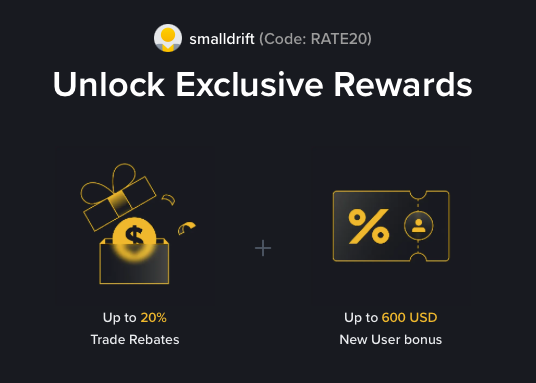
- Referral code: RATE20, pre-applied by this link
- Fee discount: 20%, shown on the Binance signup screen
- Additional rewards: Check Binance for current promotions and regional availability
Be wary of unofficial referral offers promising benefits they cannot show. The Binance signup screen lets you check the code and fee discount directly.
Compare Binance fees and available discounts →
SmallDrift may earn a commission when you sign up through this link. Trading involves risk, including loss of capital.
Related Articles

Explore Related Guides
Daily Crypto Market News
Follow Bitcoin price moves, major altcoins, and the events shaping the market.
Bitcoin ETF Flows Guide
Understand ETF inflows and outflows, and how to read them alongside price action.
Binance Fee Calculator
Learn how to estimate trading costs with referral and BNB discounts.
Verified Binance Referral Guide
See how RATE20 is applied and what to check on the Binance signup screen.