How to Enable Futures Trading on Binance (Quick Guide)
Step-by-step guide to activating futures trading on your Binance account. Requirements, quiz answers, and setup tips.
Enabling Binance Futures
Futures trading isn’t enabled by default. Here’s how to activate it.
Prerequisites
- ✅ Binance account with completed KYC
- ✅ Some funds in your account
Step-by-Step Activation
Step 1: Navigate to Futures
Click Derivatives → USDT-M Futures in the top menu.
Step 2: Open a Futures Account
Click “Open Now” when prompted to create a futures account.
Step 3: Complete the Quiz
Binance requires a quiz to ensure you understand the risks. Key concepts:
- Liquidation occurs when margin falls below maintenance level
- Higher leverage = higher risk of liquidation
- Funding rates are periodic payments between longs and shorts
- Stop-loss orders help limit potential losses
Step 4: Transfer Funds
Transfer USDT from your spot wallet to your futures wallet. Go to Wallet → Futures → Transfer.
Step 5: Start Trading
You can now trade futures contracts. Start with low leverage (2-3x).
Recommended Settings for Beginners
- Leverage: Start with 2-3x (NOT 10x or higher)
- Margin mode: Isolated (limits loss to that position)
- Always set stop-loss: Before entering any trade
- Position size: Risk only 1-2% of your account per trade
Important Warnings
- Futures trading can result in losses exceeding your initial margin
- Liquidation means losing your entire position
- Funding rates can add up over time
- Never trade with money you can’t afford to lose
Fee Savings on Futures
With referral code RATE20:
- Maker: 0.02% → 0.016%
- Taker: 0.05% → 0.04%
These savings compound significantly with leveraged positions.
Get 20% Off Binance Trading Fees with RATE20
New to Binance? Open the official signup page with RATE20 already applied for a 20% trading-fee discount. You do not need to copy or type the code. Review the referral details before completing registration.
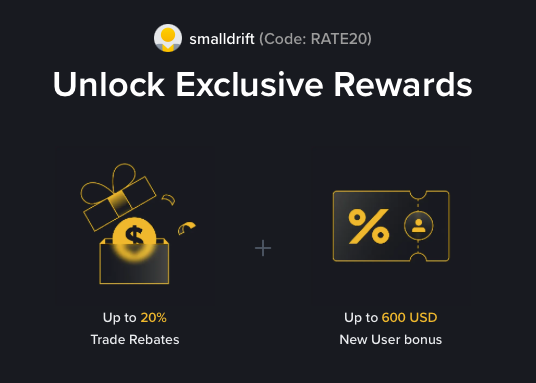
- Referral code: RATE20, pre-applied by this link
- Fee discount: 20%, shown on the Binance signup screen
- Additional rewards: Check Binance for current promotions and regional availability
Be wary of unofficial referral offers promising benefits they cannot show. The Binance signup screen lets you check the code and fee discount directly.
Compare Binance fees and available discounts →
SmallDrift may earn a commission when you sign up through this link. Trading involves risk, including loss of capital.
Related Articles
Explore Related Guides
Daily Crypto Market News
Follow Bitcoin price moves, major altcoins, and the events shaping the market.
Bitcoin ETF Flows Guide
Understand ETF inflows and outflows, and how to read them alongside price action.
Binance Fee Calculator
Learn how to estimate trading costs with referral and BNB discounts.
Verified Binance Referral Guide
See how RATE20 is applied and what to check on the Binance signup screen.