Binance P2P Trading Guide: Buy Crypto with Local Currency
Step-by-step guide to buying USDT and Bitcoin on Binance P2P using your local currency. Covers safety tips, payment methods, and how to avoid scams.
What Is Binance P2P and Why It Matters
Binance P2P (Peer-to-Peer) lets you buy and sell cryptocurrency directly with other users using your local currency and payment methods — bank transfers, mobile wallets, cash deposits, and more.
For traders in countries without direct fiat deposit options on Binance, P2P is often the only on-ramp. It’s also frequently cheaper than credit card purchases, which charge 2%+ fees.
How Binance P2P Works
The process is straightforward:
- You browse offers from sellers (or post your own)
- You select an offer and start a trade
- Binance locks the seller’s crypto in escrow
- You pay the seller directly via the agreed payment method
- The seller confirms receipt of payment
- Binance releases the crypto to your account
The escrow system is key. While the trade is active, the crypto is held by Binance — the seller can’t run away with both your money and the crypto. This makes P2P much safer than sending money to strangers.
Step-by-Step: Buying USDT on P2P
Step 1: Navigate to P2P
- Log into Binance
- Go to Trade → P2P Trading
- Select Buy
- Choose USDT (most versatile — you can trade it for any other coin)
- Select your local currency from the dropdown
Step 2: Choose an Offer
The P2P marketplace shows multiple offers. Key things to check:
- Price: The exchange rate (compare to the market rate)
- Payment method: Bank transfer, mobile wallet, etc.
- Completion rate: Higher is better (99%+ is ideal)
- Number of trades: More trades = more reliable seller
- Available amount: Must cover your purchase
- Verification badge: Yellow/blue badges indicate verified merchants
Pro tip: Don’t always pick the cheapest price. A seller with 99.5% completion rate and 5,000 trades at a slightly higher price is safer than a new seller with a rock-bottom price.
Step 3: Start the Trade
- Click Buy USDT on your chosen offer
- Enter the amount in your local currency (or in USDT)
- Review the terms and conditions set by the seller
- Click Buy USDT to initiate
Step 4: Make Payment
- The trade window opens with the seller’s payment details
- Transfer the exact amount using the specified payment method
- Pay from YOUR own account — third-party payments may be rejected
- After sending, click Transferred, notify seller
- Upload proof of payment if requested
Step 5: Receive Your Crypto
- Wait for the seller to verify payment (usually 5-15 minutes)
- Once confirmed, USDT is released to your Binance spot wallet
- You’re ready to trade
Supported Payment Methods
Binance P2P supports different methods by country. Common options include:
Bank Transfers
- Most common and usually cheapest
- Can take 5-30 minutes to clear
- Supported in most countries
Mobile Money
- M-Pesa (Kenya, Tanzania)
- GCash (Philippines)
- OVO/GoPay (Indonesia)
- Perfect for countries with strong mobile payment adoption
Digital Wallets
- PayPal (some regions)
- Wise/Revolut
- Local e-wallets
Cash Deposits
- Deposit cash at a bank to the seller’s account
- More anonymous but less convenient
- Some sellers charge a premium for cash
P2P Pricing: Understanding the Spread
P2P prices are usually 0.5-3% above the market rate. This premium is the “fee” for using P2P — though no explicit fee is charged by Binance.
Example:
- Market USDT price: 1 USDT = $1.00
- P2P price: 1 USDT = $1.015 (1.5% premium)
- Buying $1,000 worth: You pay $1,015 for 1,000 USDT
How to minimize the spread:
- Compare multiple offers — prices vary between sellers
- Trade during business hours — more sellers online = more competition = better prices
- Use bank transfer — sellers offer better rates for lower-risk payment methods
- Buy larger amounts — some sellers offer bulk discounts
- Become a regular — some sellers give better rates to repeat customers
Safety Rules for P2P Trading
DO:
- Only pay from your own account — Binance and sellers can verify ownership
- Keep all communication in the Binance chat — this creates a record for disputes
- Upload payment proof — screenshots of the transfer confirmation
- Report immediately if something goes wrong — use the dispute/appeal function
- Verify the seller’s profile — check completion rate, trade count, and reviews
DON’T:
- Never release crypto before confirming payment (if selling)
- Never pay outside Binance — always use the P2P trade window
- Never share personal info beyond what’s needed — no passwords, 2FA codes, etc.
- Never click links sent by the other party — phishing risk
- Never rush — scammers create urgency (“pay now or I cancel”)
Common Scams to Watch For:
1. Fake payment proof Scammer sends a fake screenshot of payment. Always verify the payment in your own bank/wallet app before confirming.
2. Reversal scam Scammer pays via a method that allows chargebacks (credit card, PayPal), then reverses the payment after receiving crypto. Prefer bank transfers which are harder to reverse.
3. Triangulation Scammer puts you in the middle between two trades, making you unknowingly launder money. Always trade directly and only with verified merchants.
4. Off-platform communication Scammer asks to continue the trade on WhatsApp/Telegram. This removes Binance’s dispute protection. Never leave the platform.
Selling Crypto on P2P
Selling is the reverse process:
- Go to P2P → Sell
- Choose which crypto to sell
- Set your price (or accept a buyer’s offer)
- When a buyer initiates, your crypto is locked in escrow
- Wait for payment to arrive in your bank/wallet
- Verify the payment in your own app (not just from the buyer’s screenshot)
- Release the crypto
Pricing your sell offer:
- Check current market rates
- Add a 0.5-2% premium (your profit margin)
- Keep your price competitive — check what other sellers are charging
- Consider offering a small discount for bank transfers (lower risk)
P2P Tips for Different Countries
India (INR)
- UPI is the fastest and most popular method
- IMPS/NEFT bank transfers also work
- Beware of payment reversal attempts on UPI
- Peak trading hours: 10 AM - 10 PM IST
Turkey (TRY)
- Papara and bank transfer are popular
- High demand market — usually good liquidity
- Compare rates carefully, TRY can have wider spreads
Vietnam (VND)
- Bank transfers via local banks
- MoMo and ZaloPay growing
- Competitive rates due to high demand
Brazil (BRL)
- PIX instant payment system — fast and free
- Bank transfer also works
- Active market with good liquidity
Indonesia (IDR)
- Bank transfer (BCA, Mandiri, BRI)
- OVO and GoPay growing
- Verify bank account names carefully
From P2P to Trading
Once your USDT arrives in your spot wallet:
- Start trading immediately on spot or futures
- Your referral fee discount (20% off with code RATE20) applies automatically
- Buy BNB with some USDT to enable the extra 25% fee discount
- Transfer to futures wallet if you want to trade futures
P2P → USDT → Trading is the standard flow for most global Binance users. The P2P premium (1-2%) is a one-time cost, while the trading fee discount saves you money on every trade indefinitely.
Get 20% Off Binance Trading Fees with RATE20
New to Binance? Open the official signup page with RATE20 already applied for a 20% trading-fee discount. You do not need to copy or type the code. Review the referral details before completing registration.
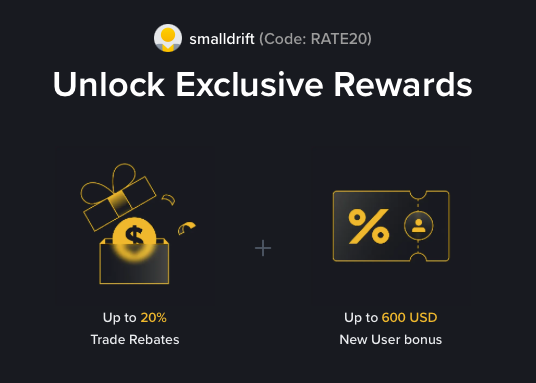
- Referral code: RATE20, pre-applied by this link
- Fee discount: 20%, shown on the Binance signup screen
- Additional rewards: Check Binance for current promotions and regional availability
Be wary of unofficial referral offers promising benefits they cannot show. The Binance signup screen lets you check the code and fee discount directly.
Compare Binance fees and available discounts →
SmallDrift may earn a commission when you sign up through this link. Trading involves risk, including loss of capital.
Related Articles
Explore Related Guides
Daily Crypto Market News
Follow Bitcoin price moves, major altcoins, and the events shaping the market.
Bitcoin ETF Flows Guide
Understand ETF inflows and outflows, and how to read them alongside price action.
Binance Fee Calculator
Learn how to estimate trading costs with referral and BNB discounts.
Verified Binance Referral Guide
See how RATE20 is applied and what to check on the Binance signup screen.