Binance Withdrawal Fees Guide: Cheapest Networks for Every Coin
Complete guide to Binance withdrawal fees and how to choose the cheapest network for BTC, ETH, USDT, and other cryptocurrencies. Save $5-50 per withdrawal.

Stop Overpaying for Withdrawals
Every time you withdraw crypto from Binance, you’re choosing a network — and that choice can mean the difference between paying $0.10 and paying $25.00 for the exact same result.
Most traders pick the default network without thinking. This guide shows you the cheapest option for every major coin, and when it makes sense to pay more for speed or compatibility.
How Binance Withdrawal Fees Work
Binance withdrawal fees are flat fees that cover the blockchain network cost (gas fee). They’re not a percentage of your withdrawal amount — whether you withdraw $100 or $100,000, the network fee is the same.
Key points:
- Fees vary by coin and network
- Binance adjusts fees periodically based on network congestion
- Minimum withdrawal amounts apply per coin/network
- Internal transfers between Binance accounts are free
USDT (Tether) — The Most Important One
USDT is the most commonly withdrawn crypto. The fee differences between networks are dramatic:
| Network | Fee | Speed | Compatibility |
|---|---|---|---|
| BSC (BEP-20) | $0.29 | 30 seconds | Most exchanges, DeFi |
| TRC-20 (Tron) | $1.00 | 1-3 minutes | Most exchanges |
| Polygon | $0.10 | 30 seconds | Some exchanges, DeFi |
| Solana | $1.00 | 10 seconds | Some exchanges |
| Arbitrum | $0.10 | 30 seconds | Growing support |
| Optimism | $0.10 | 30 seconds | Growing support |
| ERC-20 (Ethereum) | $3-25 | 1-5 minutes | All exchanges |
| Avalanche C-Chain | $1.00 | 30 seconds | Some exchanges |
Best choice for USDT:
- BSC (BEP-20): Cheapest at $0.29, widely supported
- TRC-20: Second cheapest at $1.00, supported almost everywhere
- Never use ERC-20 unless the receiving platform only supports Ethereum
Before you withdraw:
Always check if the receiving exchange/wallet supports the network you’re using. Sending USDT via BSC to an address that only supports ERC-20 will result in permanent loss of funds.
Bitcoin (BTC)
| Network | Fee | Speed |
|---|---|---|
| Lightning Network | Free | Instant |
| Bitcoin Network | ~$0.50-2.00 | 10-60 minutes |
Best choice for BTC:
- Lightning Network: Completely free and instant. Use this whenever the receiving platform supports it (most major exchanges now do)
- Bitcoin Network: Only when Lightning isn’t supported. Fee fluctuates with network congestion
Lightning Network tips:
- Check if the receiving platform supports Lightning before withdrawing
- Lightning has amount limits (typically up to ~0.1 BTC per transaction)
- For large amounts, the Bitcoin base network may be more appropriate
- Lightning withdrawals are processed almost instantly
Ethereum (ETH)
| Network | Fee | Speed |
|---|---|---|
| Arbitrum | $0.10 | 30 seconds |
| Optimism | $0.10 | 30 seconds |
| BSC (BEP-20) | $0.29 | 30 seconds |
| Ethereum (ERC-20) | $1-15 | 1-5 minutes |
Best choice for ETH:
- Arbitrum or Optimism: Layer 2 networks, $0.10 fee, fast
- BSC: $0.29, but the ETH you receive is a wrapped version (not native ETH)
- ERC-20: Only when sending to a platform that doesn’t support L2s
Note: If you’re withdrawing ETH to use in DeFi on Ethereum mainnet, you’ll need to use ERC-20 or bridge from an L2 — which may add costs.
BNB (Binance Coin)
| Network | Fee | Speed |
|---|---|---|
| BSC (BEP-20) | $0.02 | 30 seconds |
| BEP-2 | $0.01 | 5 seconds |
BNB withdrawals are extremely cheap on BSC. Most DeFi applications and exchanges that support BNB use the BSC network.
Other Popular Coins
SOL (Solana)
| Network | Fee |
|---|---|
| Solana | ~$0.01 |
Solana is already cheap. Only one network option.
XRP (Ripple)
| Network | Fee |
|---|---|
| Ripple | ~$0.25 |
XRP has its own network with low fees. No network choice needed.
DOGE (Dogecoin)
| Network | Fee |
|---|---|
| Dogecoin | ~$4.00 |
DOGE withdrawal fees are relatively high. Consider converting to USDT, withdrawing via BSC, and re-buying DOGE on the destination platform if the fee difference justifies it.
MATIC/POL (Polygon)
| Network | Fee |
|---|---|
| Polygon | ~$0.10 |
| Ethereum | ~$5-15 |
Always use the Polygon network unless you specifically need MATIC on Ethereum mainnet.
The “Convert and Withdraw” Strategy
Sometimes it’s cheaper to:
- Convert your crypto to USDT on Binance (spot trade fee: ~0.06% with discounts)
- Withdraw USDT via BSC ($0.29)
- Buy your original crypto on the destination platform
Example: Withdrawing $1,000 worth of DOGE
Direct withdrawal: $4.00 fee Convert strategy:
- Sell DOGE → USDT: $1,000 × 0.06% = $0.60
- Withdraw USDT via BSC: $0.29
- Buy DOGE on destination: $1,000 × 0.1% = $1.00 (assuming destination exchange fee)
- Total: $1.89
Savings: $2.11 per withdrawal. For coins with high withdrawal fees (DOGE, some ERC-20 tokens), this strategy always wins.
Withdrawal Limits and Timing
Daily withdrawal limits:
- KYC Level 1: 8 BTC equivalent/day
- KYC Level 2: 100 BTC equivalent/day
- VIP users: Higher limits
Processing times:
- Most withdrawals process within 5-30 minutes
- Some withdrawals may trigger a security review (up to 24 hours)
- New withdrawal addresses have a 24-hour whitelist waiting period (if enabled)
- Large withdrawals during off-hours may take longer
Tips for faster withdrawals:
- Whitelist your addresses in advance
- Don’t modify your security settings right before withdrawing (triggers a 24-hour lock)
- Avoid peak congestion times for Ethereum withdrawals
- Use Lightning for instant BTC transfers
Network Safety Rules
The golden rule:
The sending and receiving network MUST match. Sending BSC tokens to an ERC-20 address, or TRC-20 tokens to a BSC address, can result in permanent loss.
Before every withdrawal:
- Confirm the receiving platform supports the network you’ve selected
- Double-check the deposit address on the receiving platform
- Send a small test transaction first for large amounts
- Never manually type addresses — always copy/paste or use QR codes
- Verify the first and last 4 characters of the pasted address match the original
What if you send to the wrong network?
- If the receiving platform controls the address, contact their support — they may be able to recover the funds (some charge a fee)
- If you sent to a personal wallet, you may be able to add the network and access the tokens
- If neither applies, the funds may be permanently lost
Annual Savings from Smart Withdrawals
If you make 4 withdrawals per month:
| Strategy | Cost per Withdrawal | Annual Cost |
|---|---|---|
| Always use ERC-20 | ~$15 | $720 |
| Always use TRC-20 | $1.00 | $48 |
| Always use BSC | $0.29 | $14 |
| Use Lightning for BTC | Free | $0 |
Switching from ERC-20 to BSC saves you $700+ per year on withdrawals alone. Combined with trading fee discounts from referral code RATE20 and BNB payment, you’re keeping significantly more of your money.
Get 20% Off Binance Trading Fees with RATE20
New to Binance? Open the official signup page with RATE20 already applied for a 20% trading-fee discount. You do not need to copy or type the code. Review the referral details before completing registration.
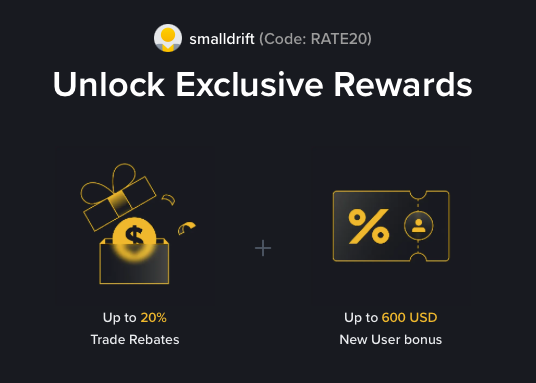
- Referral code: RATE20, pre-applied by this link
- Fee discount: 20%, shown on the Binance signup screen
- Additional rewards: Check Binance for current promotions and regional availability
Be wary of unofficial referral offers promising benefits they cannot show. The Binance signup screen lets you check the code and fee discount directly.
Compare Binance fees and available discounts →
SmallDrift may earn a commission when you sign up through this link. Trading involves risk, including loss of capital.
Related Articles
Explore Related Guides
Daily Crypto Market News
Follow Bitcoin price moves, major altcoins, and the events shaping the market.
Bitcoin ETF Flows Guide
Understand ETF inflows and outflows, and how to read them alongside price action.
Binance Fee Calculator
Learn how to estimate trading costs with referral and BNB discounts.
Verified Binance Referral Guide
See how RATE20 is applied and what to check on the Binance signup screen.