How to Read the Binance Order Book: A Beginner's Guide
Learn how to read and interpret the Binance order book. Understand bids, asks, depth, and how to use this information for better trades.
What Is an Order Book?
The order book shows all pending buy and sell orders for a trading pair at different price levels. It’s the heart of how exchange trading works.
Order Book Structure
Left Side: Bids (Buy Orders)
- Green colored
- Shows prices people are willing to buy at
- Sorted highest to lowest (best bid on top)
Right Side: Asks (Sell Orders)
- Red colored
- Shows prices people are willing to sell at
- Sorted lowest to highest (best ask on top)
The Spread
The gap between the best bid and best ask is the spread. Tighter spread = more liquid market.
Example:
- Best bid: $99,990
- Best ask: $100,010
- Spread: $20 (0.02%)
How to Read Depth
Each price level shows:
- Price: The order price
- Amount: How much crypto is available at that price
- Total: Cumulative amount from the best price
What the Order Book Tells You
Large Buy Wall
A very large bid at a specific price suggests strong support. Buyers are willing to absorb selling pressure at that level.
Large Sell Wall
A very large ask at a specific price suggests resistance. Sellers are waiting to dump at that level.
Thin Order Book
Few orders at each level means:
- Higher slippage for large orders
- More volatile price movements
- Be careful with market orders
Using the Order Book for Trading
1. Check Liquidity Before Trading
If you’re placing a large order, check the depth to estimate slippage.
2. Identify Support/Resistance
Large order clusters can act as temporary support or resistance.
3. Set Limit Orders Strategically
Place your limit orders at or near large bid/ask clusters for higher fill probability.
Limitations
- Spoofing: Large orders can be placed and cancelled to manipulate perception
- Hidden orders: Some orders are iceberg orders (only partially visible)
- Dynamic: The order book changes every millisecond
Pro Tip
On Binance, switch between the order book view and depth chart. The depth chart visualizes the order book as a graph, making it easier to spot support/resistance walls.
Get 20% Off Binance Trading Fees with RATE20
New to Binance? Open the official signup page with RATE20 already applied for a 20% trading-fee discount. You do not need to copy or type the code. Review the referral details before completing registration.
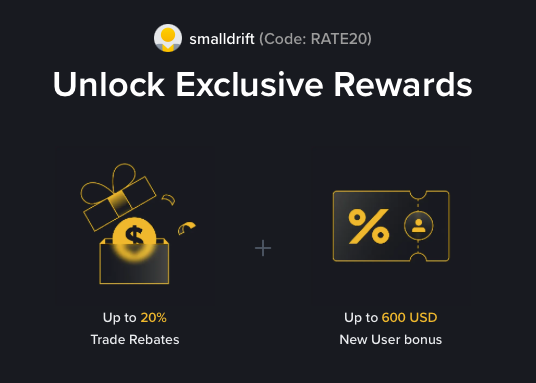
- Referral code: RATE20, pre-applied by this link
- Fee discount: 20%, shown on the Binance signup screen
- Additional rewards: Check Binance for current promotions and regional availability
Be wary of unofficial referral offers promising benefits they cannot show. The Binance signup screen lets you check the code and fee discount directly.
Compare Binance fees and available discounts →
SmallDrift may earn a commission when you sign up through this link. Trading involves risk, including loss of capital.
Related Articles

Explore Related Guides
Daily Crypto Market News
Follow Bitcoin price moves, major altcoins, and the events shaping the market.
Bitcoin ETF Flows Guide
Understand ETF inflows and outflows, and how to read them alongside price action.
Binance Fee Calculator
Learn how to estimate trading costs with referral and BNB discounts.
Verified Binance Referral Guide
See how RATE20 is applied and what to check on the Binance signup screen.