Binance Maker vs Taker Fees: What's the Difference?
Understand the difference between maker and taker fees on Binance and how to pay the lower maker fee more often.

Maker vs Taker: Quick Explanation
- Maker: You place a limit order that doesn’t fill immediately → you “make” liquidity
- Taker: You place a market order or a limit order that fills immediately → you “take” liquidity
Makers get lower fees because they add liquidity to the order book.
Binance Fee Comparison
Spot Trading
| Type | Regular | With Referral |
|---|---|---|
| Maker | 0.10% | 0.08% |
| Taker | 0.10% | 0.08% |
Futures Trading
| Type | Regular | With Referral |
|---|---|---|
| Maker | 0.02% | 0.016% |
| Taker | 0.05% | 0.04% |
On futures, maker fees are 60% cheaper than taker fees. This difference is significant for active traders.
How to Pay Maker Fees
Use Limit Orders
Instead of clicking “Market Buy,” use “Limit Buy” and set a price slightly below the current price. Your order enters the book and fills when the price reaches it.
Post-Only Orders
On the advanced trading interface, you can enable “Post Only” mode. This ensures your order is always a maker order — if it would fill immediately, it’s rejected instead.
When Taker Fees Are Worth It
- Fast-moving markets: When the price is running and you need to enter NOW
- Small positions: The fee difference on a $100 trade is negligible
- Stop losses: These typically execute as taker orders
Annual Savings from Maker Orders
For a futures trader doing $100,000/month:
- All taker: $100,000 × 0.05% × 12 = $600/year
- All maker: $100,000 × 0.02% × 12 = $240/year
- Savings: $360/year just from using limit orders
Get 20% Off Binance Trading Fees with RATE20
New to Binance? Open the official signup page with RATE20 already applied for a 20% trading-fee discount. You do not need to copy or type the code. Review the referral details before completing registration.
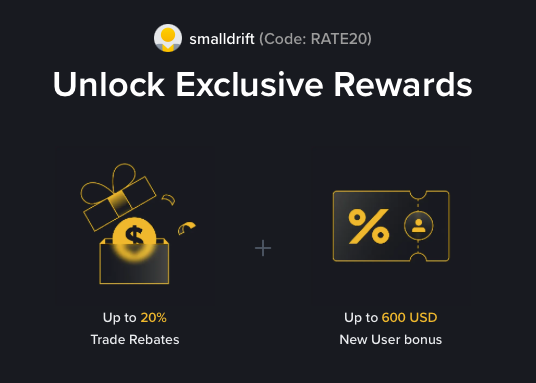
- Referral code: RATE20, pre-applied by this link
- Fee discount: 20%, shown on the Binance signup screen
- Additional rewards: Check Binance for current promotions and regional availability
Be wary of unofficial referral offers promising benefits they cannot show. The Binance signup screen lets you check the code and fee discount directly.
Compare Binance fees and available discounts →
SmallDrift may earn a commission when you sign up through this link. Trading involves risk, including loss of capital.
Related Articles
Explore Related Guides
Daily Crypto Market News
Follow Bitcoin price moves, major altcoins, and the events shaping the market.
Bitcoin ETF Flows Guide
Understand ETF inflows and outflows, and how to read them alongside price action.
Binance Fee Calculator
Learn how to estimate trading costs with referral and BNB discounts.
Verified Binance Referral Guide
See how RATE20 is applied and what to check on the Binance signup screen.